Bluesky Scheduler and Cross-Posting Guide
Prices and features last checked: August 2026
Finding an effective Bluesky scheduler is a top priority for creators and social media managers looking to build an audience on the AT Protocol without adding hours of manual posting to their routine. Publishing to Bluesky can be handled natively through its web app for basic queues, or automated through third-party tools using App Passwords to mirror content across multiple networks. Because Bluesky runs on an open, decentralized architecture, integrating it into your scheduling stack requires minimal technical setup, making it one of the most efficient extra channels to add to your distribution plan.
What Publishing to Bluesky Looks Like Today
Bluesky has grown from an invite-only experiment into a primary home for communities seeking an alternative to microblogging incumbents. Because the platform relies on the open-source AT Protocol, publishing content here feels familiar on the surface but operates differently under the hood.
Posts on Bluesky are built around text, still images, and short vertical or horizontal videos. The default text limit is 300 characters, giving you slightly more room than traditional short-form platforms while keeping updates quick to read. The feed algorithm is transparent and highly user-customizable: instead of a single algorithmic feed forcing viral content into every user’s view, Bluesky relies heavily on chronological feeds, custom user-built feeds, and direct community moderation lists.
For content creators, this structure changes the distribution equation. The overall audience on Bluesky is smaller than on legacy platforms, but user engagement per post is frequently much higher. Users read captions, click external links, and interact with replies. However, because the platform is newer, developer tool adoption is still catching up. While mainstream management suites have begun adding Bluesky integration, smaller specialized automation tools often offer faster updates and tighter integration with the network’s unique protocol features.
Native Options vs Using a Dedicated Bluesky Scheduler
If your primary goal is to schedule Bluesky posts without paid software, the network provides a built-in scheduling feature directly inside its web application.
The native scheduler allows you to compose a text post, attach images or video, add alt text, and pick a future publishing date and time. For solopreneurs or casual posters who only publish a few times a week, this native option costs nothing and covers the basics reliably.
However, native scheduling has clear operational bottlenecks once your publishing volume increases:
- No Cross-Platform Sync: Content scheduled natively on Bluesky stays on Bluesky. You cannot push that same asset to other networks without re-uploading it manually elsewhere.
- Web-Centric Interface: Advanced scheduling options are often less convenient or restricted on mobile devices compared to desktop browser sessions.
- Lack of Bulk Queue Management: You cannot upload a CSV spreadsheet of updates or organize posts by content buckets.
- Single-Account Drag: Switching between personal handles and brand profiles requires manual account swapping inside the interface before queuing content.
When your publishing strategy expands beyond a single account, moving to a dedicated Bluesky scheduler becomes necessary to keep your workflow manageable.
Third-Party Scheduling: App Passwords and API Keys
Connecting an external tool to your Bluesky account works differently than connecting to traditional social networks. Legacy platforms rely on standard OAuth redirects where you enter your main password into a pop-up window. Bluesky uses an authentication layer based on App Passwords.
An App Password is a dedicated, limited-access credential generated inside your Bluesky account settings. Instead of giving a third-party application complete control over your profile—including the ability to change your master account password or email address—you generate a unique string of characters specifically for that tool.
To configure Bluesky automation in a third-party management platform, you provide two pieces of information:
- Your Handle: This is your full handle, such as
username.bsky.socialor your custom domain (e.g.,name.com). - The App Password: A system-generated token created under Settings > Advanced > App Passwords.
If you ever stop using a specific scheduling vendor, you simply revoke that individual App Password inside Bluesky. The vendor instantly loses access, while your main login details remain completely untouched.
When evaluating multi-network platforms, check how deeply they support protocol features like link facets and video processing. A broad comparison of supported networks and feature sets is available in our guide to the best cross-posting tools.
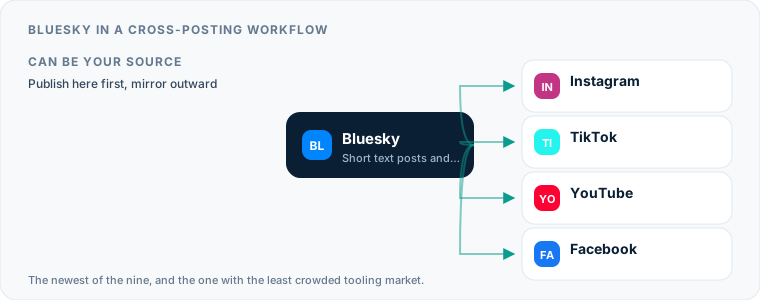
How Bluesky Functions as a Cross-Posting Source
Using Bluesky as the starting point for your content workflow offers distinct advantages for text-focused creators. Because the network emphasizes concise writing and direct link sharing, a post composed for Bluesky translates naturally to other text-first networks.
When you draft an update on Bluesky, the layout forces you to communicate clearly within 300 characters. That draft can easily serve as the master copy for other destinations. Pushing text from Bluesky to platforms with higher character caps requires zero editing, whereas adapting a long post down to fit Bluesky’s limit often requires cutting key context.
If you use automated pipelines to syndicate text updates, consider how target networks handle external links. Bluesky handles direct links cleanly by converting URLs into clickable preview cards (known in the AT Protocol as facets). When sending these updates to networks that downrank external links in body copy, you may want a tool that strips the link or converts it into a top-level reply. For details on managing text limits and link previews on microblogging alternatives, review our guide to configuring an X scheduler.
Why Auto Post to Bluesky as a Cross-Posting Destination
Adding Bluesky as an automated receiving point in your distribution network requires almost no ongoing effort, making it one of the highest-return channels to add to your stack. When you cross post to Bluesky, you place your content in front of an active, tech-literate user base without taking on a second manual posting routine.
For creators producing short vertical video on Instagram Reels or TikTok, auto-publishing those assets to Bluesky allows you to tap into vertical video feeds as the platform builds out its media infrastructure.
Tools like Postpari specialize in this source-to-destination mirroring model. You connect an Instagram profile as your primary content source, draw an automated pipeline to your destination channels, and let the software work in the background. Every short video published on your main Instagram account is mirrored automatically to Bluesky and your other linked profiles.
If you want to automate this process for video content, read our complete guide to cross-posting from Instagram to Bluesky. For creators broadcasting short text and video across multiple modern networks, combining this setup with strategies from our manual on managing a Threads scheduler creates a broad distribution network managed from a single upload.
When TikTok Is the Source Rather Than Instagram
The mirroring model above assumes Instagram is where the video lands first, and that assumption is doing more work than it looks like it is. If your first upload goes to TikTok, an Instagram-source flow has nothing to read, and no amount of configuration changes that — you need a service that monitors TikTok itself and pulls the file before the watermark is burned in. That is a genuinely different product, and on this particular route a dedicated repurposing engine will serve you better than a mirroring tool will. The setup, the App Password step Bluesky requires, and what a 300-character cap does to a TikTok caption are covered in our guide to cross-posting from TikTok to Bluesky.
Formats, Character Limits, and Formatting Failures
While Bluesky supports standard media types, posting specs vary enough from competing platforms that unedited cross-posts can occasionally look broken.
Here is how Bluesky compares to main microblogging and image networks:
| Feature / Spec | Bluesky | X (Twitter) | Threads | |
|---|---|---|---|---|
| Max Text Length | 300 characters | 280 characters | 500 characters | 2,200 characters |
| Max Still Images | 4 per post | 4 per post | 10 per post | 10 per carousel |
| Video Support | 1 per post (short clip) | 1 per post | Up to 10 per post | 1 Reel or Carousel |
| Link Previews | Automatic via facets | Summary cards | Rich inline cards | Non-clickable in text |
| Alt Text Support | Supported & encouraged | Supported | Supported | Supported |
| Account Handles | .bsky.social or Domain | @username | @username | @username |
Where Cross-Posts Fail on Bluesky
- Tagging Non-Existent Handles: If your source caption contains
@usernametags formatted for Instagram or X, those tags will fail or point to entirely different people on Bluesky. Bluesky handles end in.bsky.socialor use custom domain names. - Exceeding the 300-Character Wall: Caption copy written for Instagram or LinkedIn will be truncated or fail to post entirely if your scheduling software does not auto-trim or split long text into threads.
- Missing Alt Text: Bluesky has a culture that heavily prioritizes accessibility. Many users configure their settings to hide or highlight posts that lack image descriptions. Automated tools that drop image captions without transferring image alt text will see noticeably lower engagement.
- Incorrect Video Aspect Ratios: While Bluesky supports vertical mobile video, legacy landscape video rendered with hardcoded pillarbox bars (black side bars) looks out of place in mobile feeds.
Managing Multiple Bluesky Accounts Without Logging Out
Managing multiple Bluesky accounts is common for agencies, niche content creators, and brand managers who run separate profiles for personal updates, company announcements, and side projects.
Bluesky native apps allow handle switching, but running several accounts across different clients quickly becomes confusing without a unified dashboard. Third-party management software simplifies this by letting you map each Bluesky profile to its own publishing queue or source pipeline.
When managing client profiles, use custom domain handles whenever possible (e.g., @news.yourcompany.com instead of @yourcompany.bsky.social). Custom domains serve as instant identity verification on the AT Protocol. Once a domain is verified in account settings, your scheduling tools connect to that custom handle using an App Password generated specifically for that profile.
For backup strategies, automated distribution systems like Postpari allow you to map an Instagram source to multiple destination accounts on the same platform. This allows you to publish content to a primary Bluesky account while simultaneously populating a backup profile or niche sub-account automatically.
Building a Low-Maintenance Bluesky Post Scheduler Workflow
To establish a consistent presence on Bluesky without spending your day inside publishing apps, build a multi-tiered workflow that separates content broadcasting from community engagement.
1. Automate Core Video Mirroring
Set up an automated distribution pipeline for high-production visual assets. When you publish an Instagram Reel, let a background tool automatically mirror that video to Bluesky. This keeps your feed active with video content without requiring manual re-uploads.
2. Batch Text Updates
Use a Bluesky post scheduler once a week to queue up text-based thoughts, industry links, and standalone discussion prompts. Keep text under 300 characters and write native updates directly inside your scheduling queue rather than copy-pasting posts laden with platform-specific jargon from other channels.
3. Handle Community Interaction Manually
Automate the broadcast layer, but keep conversation manual. Scheduling software should handle getting your assets onto the network, but once users leave comments or share your updates to custom feeds, step in to reply directly from your phone or desktop web app.
This hybrid approach gives you the operational scale of a multi-channel media network while preserving the direct, authentic interactions that make the Bluesky community responsive.
What the platforms themselves document
Publishing rules change without notice, and every network is the only authority on its own. These are the pages we check this guide against. If one of them contradicts this page, it is right — tell us.
- Bluesky developer documentation — Bluesky
Where Postpari fits: Postpari lists Bluesky among the networks it works with. It does not publish a platform-by-plan matrix, so confirm Bluesky is available on the plan you are considering before you rely on it.
Frequently asked questions
How do I schedule posts on Bluesky for free?
You can schedule posts for free using the native web application at bsky.app. When composing a post on desktop, click the clock icon next to the publish button to select a future date and time for your post to go live.
Is it safe to give a scheduling tool my Bluesky password?
No, you should never enter your master Bluesky password into a third-party tool. Instead, generate a dedicated App Password in your Bluesky account settings under the Advanced menu, which grants restricted access that can be revoked at any time.
Can I auto post from Instagram to Bluesky?
Yes, you can automatically mirror video content from Instagram to Bluesky using specialized cross-posting tools like Postpari. Once linked, short video updates published on your Instagram account are automatically published to your Bluesky profile.
What is the character limit for Bluesky posts?
Bluesky posts have a standard limit of 300 characters. If your cross-posted text exceeds this limit, third-party tools must either truncate the message, split it into a thread, or fail the upload.
Can I run multiple Bluesky accounts inside one scheduling tool?
Yes, most third-party social media schedulers allow you to connect multiple Bluesky accounts. Each account requires its own unique handle and individual App Password generated from that specific profile's settings.