Postpari vs Buffer: Which One Fits Your Workflow?
Prices and features last checked: August 2026 · Sources: postpari.com , postpari.com , postpari.com , buffer.com
BestCrossPosting.com is operated by the team behind Postpari. We benefit when readers sign up, so treat our Postpari recommendations as the recommendations of an interested party — and check our claims against the sources we link. Full disclosure · How we compare products
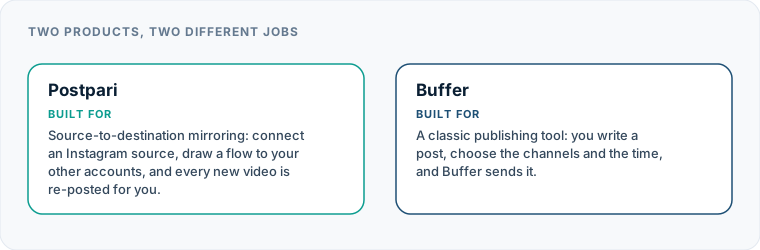
When evaluating postpari vs buffer, the most critical realization is that these two tools belong to entirely separate software categories. Comparing them directly as if they perform the same daily task is a common mistake for creators and brand managers.
Buffer is a composer and multi-channel calendar built for scheduling custom posts across individual networks, while Postpari is an automated mirroring pipe that redistributes your short-form videos from a central source account without requiring manual scheduling.
If you are trying to decide between Postpari or Buffer, your decision should not come down to minor feature lists. It should come down to how you actually produce content and how much time you want to spend inside a social media dashboard every week.
The Short Version: Choosing Between Mirroring and Scheduling
The choice between these platforms comes down to active management versus hands-off syndication. Buffer requires you to log into a dashboard, upload media files, draft custom captions for each network, and assign calendar slots. It gives you precise control over when content goes live and how it looks on every channel.
Postpari operates in the background. You connect your primary Instagram account as a source, link your destination profiles across other social networks, and establish an automated flow. Whenever you publish a original short video natively on Instagram, Postpari detects the new publication and automatically re-posts it to your connected destination channels.
If you publish text posts, image carousels, or targeted updates with network-specific captions, a calendar composer like Buffer is necessary. If your strategy focuses entirely on short-form video and you want your videos distributed everywhere the moment you post them on Instagram, direct mirroring eliminates repetitive administrative labor.
| Feature | Postpari | Buffer |
|---|---|---|
| Starting price | $9/mo | $5/mo |
| Free plan | No | Yes |
| Free trial | 7 days | 14 days |
| Source-triggered mirroring | Yes | Not verified |
| One post to several destinations | Yes | Yes |
| Schedule posts for a chosen time | Yes | Yes |
| Backfills older posts | Yes | Not verified |
| Several accounts on one network | Yes | Yes |
| Reformats content per platform | Not verified | Not verified |
| Removes source watermark | Not verified | Not verified |
| Visual calendar | Not verified | Yes |
| Analytics | Yes | Yes |
| Approval workflows | Not verified | Yes |
| Networks listed | 9 | 11 |
Postpari
Source-to-destination mirroring: connect an Instagram source, draw a flow to your other accounts, and every new video is re-posted for you.
- From
- $9/mo
- Free plan
- No
- Trial
- 7 days
- Source-triggered mirroring
- Yes
- One post to several destinations
- Yes
- Schedule posts for a chosen time
- Yes
- Backfills older posts
- Yes
- Several accounts on one network
- Yes
- Reformats content per platform
- Not verified
- Removes source watermark
- Not verified
- Visual calendar
- Not verified
- Analytics
- Yes
- Approval workflows
- Not verified
Buffer
A classic publishing tool: you write a post, choose the channels and the time, and Buffer sends it.
- From
- $5/mo
- Free plan
- Yes
- Trial
- 14 days
- Source-triggered mirroring
- Not verified
- One post to several destinations
- Yes
- Schedule posts for a chosen time
- Yes
- Backfills older posts
- Not verified
- Several accounts on one network
- Yes
- Reformats content per platform
- Not verified
- Removes source watermark
- Not verified
- Visual calendar
- Yes
- Analytics
- Yes
- Approval workflows
- Yes
“Not verified” means we could not find the vendor stating it on their own site. It is not a claim that the product cannot do it.
Understanding the Core Purpose of Each Platform
To understand where each product fits into your tech stack, it helps to break down how they handle a single piece of media from creation to distribution. You can also explore our broader evaluation of the best cross-posting tools to see how these approaches fit into wider social media workflows.
How Buffer Handles Social Media Publishing
Buffer is built around the concept of a master composer and a queue. When you prepare a post inside Buffer, you upload your asset once and select the channels where you want it to appear. From there, Buffer allows you to customize the text, hashtags, and mention handles for each destination.
Once your post is tailored, you assign it to a specific time slot on a visual content calendar or drop it into a continuous queue. Buffer then holds that content on its servers until the scheduled time arrives, at which point it uses official channel APIs to publish the update. This setup requires human input for every single post, but it gives you total control over the exact appearance and timing of your content on every feed.
How Postpari Handles Short Video Distribution
Postpari removes the middle composer entirely. Instead of uploading files to a scheduling dashboard, you create and publish your short videos directly inside the native Instagram app, using Instagram’s built-in creation tools, filters, and audio setup.
Postpari monitors your source Instagram account. When a new short video goes live, the system fetches the video file and replicates it across your destination accounts—such as TikTok, YouTube Shorts, Threads, X, or LinkedIn—based on the automated routing rules you established during account setup. You never have to open Postpari to distribute an individual post; the software acts as an automated pipeline running behind the scenes.
| Workflow Requirement | Buffer | Postpari |
|---|---|---|
| Primary Media Type | Multi-format (Text, Images, Carousels, Video) | Short-Form Video |
| Distribution Trigger | Manual Calendar Date & Time | Native Instagram Publication |
| Caption Customization | Individual per channel prior to posting | Direct mirror from source account |
| Ongoing Dashboard Use | Daily or Weekly scheduling sessions | One-time setup; background execution |
| Secondary Account Mirroring | Manual setup per network | Automated flow to main & backup accounts |
When Buffer Is the Better Choice
Buffer wins decisively in scenarios where message customization, strategic timing, and editorial review matter more than pure publishing speed.
Customizing Messages for Different Audiences
Different social networks host different communities with distinct cultural norms. A technical, professional audience on LinkedIn responds to a long-form breakdown, while followers on X expect a concise summary, and TikTok users look for informal language.
Buffer allows you to craft distinct text for each channel attached to a single media upload. If your brand strategy requires unique call-to-action links, distinct hashtag sets, or customized language for every destination, Buffer is the right tool for the job.
Managing Visual Calendars and Team Approvals
If you work with clients, marketing managers, or external stakeholders who need to review content before it goes live, Buffer provides clear structure. Its visual content calendar lets team members inspect upcoming posts, request edits, and approve drafts before anything hits a public feed.
Furthermore, if you need to schedule promotional campaigns weeks in advance to align with product launches or sales events, Buffer’s calendar interface gives you a complete macro view of your editorial schedule across all networks.
Multi-Format Content Strategies
Buffer handles almost every major content format. If your weekly output includes still-image photos, multi-slide carousels, text-only updates, link posts, and long-form video alongside short reels, Buffer can manage all of them from one dashboard. Postpari, by contrast, is built explicitly around short-video automation and does not process static posts or image carousels.
If you decide that a traditional composer and calendar setup suits your brand better, you can research additional alternatives in our detailed guide to Buffer alternatives for creators.
When Postpari Is the Better Choice
Postpari is the superior choice when your primary output is short-form video and your primary goal is eliminating redundant manual uploads.
Streamlining Short-Video Distribution
Editing a video, exporting it to your phone, and then manually opening six different social applications to upload the exact same clip with the exact same caption is repetitive, frustrating work. Repeating that administrative process several times a week steals valuable time from actual content creation.
Postpari automates this entire pipeline. Once your flow is established, publishing a video on Instagram automatically distributes it across TikTok, YouTube Shorts, Facebook Pages, Threads, X, Bluesky, LinkedIn, and Pinterest. You record, edit, and publish once on your primary platform, and Postpari handles the remaining uploads without intervention.
Rebuilding Audiences Across Backup Accounts
For established creators and public figures, account suspensions or shadowbans on primary social channels represent a major business risk. Postpari natively supports routing video flows from a single source to multiple accounts on the same destination platform—such as sending a video simultaneously to your main account and a designated backup account.
For higher subscription tiers, Postpari can also monitor and mirror content from a public Instagram source account that you do not own. This allows media agencies, curation pages, or brand representatives to syndicate public video feeds into peripheral distribution channels without needing direct login access to the original source.
Backfilling Archives to New Networks
When opening a fresh account on a new platform, launching with a blank feed hurts your conversion rate for new profile visitors. Postpari includes a backfill feature that takes existing short videos previously published on your source Instagram account and drips them out gradually to your newly connected destination accounts over time. This populates your new profile automatically without overwhelming the new network’s feed.
For a deeper dive into Postpari’s feature set and platform connections, read our complete Postpari hands-on review.
Postpari vs Buffer: Understanding How the Pricing Models Differ
Pricing structures reflect the foundational differences in how these two products operate. Comparing their costs requires understanding what unit of value each software sells.
BUFFER PRICING STRUCTURE [Base Free Tier] -> [Per-Channel Paid Add-ons] -> [Team/Agency Upgrades]
- Scales primarily by the total number of connected social profiles.
POSTPARI PRICING STRUCTURE [Tiered Subscriptions] -> [Speed / Volume / Account Allowance / Advanced Source Features]
- Scales by posting speed, account limits, daily fair-use caps, and backfill functionality.
Buffer uses a channel-based model. It offers a free plan that provides standard scheduling features for a small number of channels. As your footprint grows, Buffer charges a recurring fee per connected channel. This model is economical if you manage only two or three social accounts, but costs scale up steadily as you add more channels or invite additional team members to your workspace.
Postpari uses tiered subscription plans tied to functional capacity rather than charging per individual profile connection. Higher tiers unlock faster video posting speeds, higher overall connected account allowances, increased daily fair-use limits per source account, and advanced automation features like backfilling or copying public source accounts.
When conducting a buffer comparison against automated syndication tools, remember that Buffer’s per-channel pricing means you pay for every single profile connected to your calendar, whereas Postpari’s tier structure covers multi-network distribution flows in wrapped packages.
Supported Networks and Account Handling
Both platforms support the major social networks, but they interact with platform APIs in fundamentally different ways based on their core purpose.
Buffer supports posting to standard platforms including Instagram, TikTok, YouTube, Facebook, LinkedIn, Pinterest, Threads, and X. Because Buffer operates as a traditional publishing tool, it allows you to connect individual profiles and manage them independently inside its calendar grid.
Postpari connects an Instagram source account to destination accounts across TikTok, YouTube, Facebook Pages, LinkedIn, Pinterest, Threads, X, and Bluesky. There are a few operational facts to keep in mind when setting up a buffer cross posting workflow versus a Postpari source flow:
- Facebook Account Rules: Postpari publishes Facebook video content strictly to Facebook Pages, not to personal Facebook profiles. This restriction is governed by official API limitations surrounding personal profile automation.
- Multi-Account Routing: Postpari allows you to route a single Instagram video source to multiple accounts on the same platform simultaneously, such as a primary account and a backup brand account. Buffer treats each account as a separate, distinct calendar destination that requires manual content selection.
- Network Diversity: Postpari supports publishing to decentralized networks like Bluesky out of the box, whereas legacy calendar schedulers often lag behind in adopting emerging decentralized feeds.
Comparing Automation Depth: Postpari vs Buffer
Automation depth defines how much physical work remains on your plate after adopting a tool. This is the central decision point when choosing postpari or buffer.
Buffer is an assisted publishing tool. It automates the act of releasing a post at a designated future time, but it does not automate the creation or transfer of content into the tool itself. You must still log into Buffer, create a campaign, upload media assets, check preview rendering, adjust text formatting for each network, and approve the schedule.
Postpari is a source-triggered automated pipeline. It relies on event-driven mechanics:
- You publish a short video natively on Instagram.
- Postpari detects the new publication on your source profile.
- Postpari processes the video asset and posts it directly to your connected destination channels.
Once configured, Postpari requires zero routine dashboard interaction. You do not log into Postpari to push daily content. You simply continue your standard creation workflow inside Instagram, and your syndication pipeline operates automatically in the background.
To explore how these differing levels of automation stack up against other market tools, explore our comprehensive catalog of social media platform comparisons.
Limitations to Keep in Mind for Both Tools
Neither product is a complete, catch-all solution for every social media task. Understanding their respective platform boundaries will prevent friction down the road.
What Buffer Cannot Do
Buffer cannot automatically monitor your native social media accounts and syndicate new posts without manual intervention. If you post a reel directly on Instagram using your phone, Buffer will not detect that post or push it to TikTok or YouTube Shorts for you. Everything sent through Buffer must originate inside the Buffer app or extension. Furthermore, Buffer’s per-channel cost structure can become expensive quickly for creators managing dozens of backup or peripheral accounts.
What Postpari Cannot Do
Postpari is built specifically for short-form video mirroring from an Instagram source and lacks general-purpose social media management features:
- No General Visual Calendar: Postpari does not feature a interactive content calendar grid or drag-and-drop planning board.
- No Image Carousel or Static Post Mirroring: Postpari processes short video files; it does not syndicate static images, carousels, or text-only updates.
- No Per-Destination Caption Editing: Because mirroring is source-triggered, your video caption on the destination accounts is taken from your original Instagram post. You cannot draft distinct, unique text captions for each individual destination channel prior to distribution.
- No Social Inbox or Analytics Suites: Postpari does not aggregate comments, manage direct messages, track engagement analytics, or provide AI writing helpers.
- No Personal Facebook Profile Publishing: Syndication on Facebook is strictly limited to Facebook Pages.
Shared Technical Realities
Neither tool can compensate for poorly produced media or incorrect asset dimensions. If you upload a horizontal 16:9 video into a vertical short-video destination like TikTok or YouTube Shorts, neither tool will automatically crop or re-frame your subject; you must format your original file correctly.
Additionally, no external software vendor publishes precise rules regarding platform reach. While platform algorithms do not officially penalize cross-posted content, visible third-party watermarks from competing platforms, improper video framing, or context-inappropriate captions can lead to lower audience engagement on destination feeds.
Choosing between a manual calendar composer like Buffer and an automated mirror pipeline like Postpari comes down to identifying where your time is currently wasted. If you spend hours manually re-uploading vertical videos across secondary apps, source-based mirroring gives you that time back. If you need tight editorial control, distinct captions, and scheduled multi-format posts across a team, a central calendar remains the correct choice.
Which one should you pick?
There is no single winner here, because these tools are not trying to do the same job. Match the row to your own situation.
| If your situation is | Pick | Why |
|---|---|---|
| You want to decide when each post goes out | Buffer | That is the entire product, and the free plan covers it for light use. |
| You never want to think about the other eight networks again | Postpari | Mirroring removes the composing step rather than centralising it. |
| You need someone to approve posts first | Buffer | Approval workflows are published on its Team plan. We could not verify any equivalent in Postpari. |
| You are connecting eight or nine channels | Postpari | Buffer charges per channel, so the total climbs with each account. Postpari charges per accounts-per-platform tier. |
| You want to spend nothing at all | Buffer | It has a real free plan. Postpari does not. |
Frequently asked questions
Is Postpari a direct replacement for Buffer?
No, Postpari and Buffer serve fundamentally different purposes. Buffer is a multi-channel calendar and composer for manually crafting and scheduling diverse content types across social channels. Postpari is an automated video pipeline that mirrors short videos from an Instagram source directly to destination networks without manual scheduling.
Can Buffer automatically cross-post videos I publish natively on Instagram?
No, Buffer cannot detect posts published natively on social media apps. To publish content using Buffer, you must upload media files directly into the Buffer dashboard and schedule them manually. If you want automatic syndication triggered by native Instagram uploads, you need a source-triggered tool like Postpari.
Does Postpari allow me to write different captions for TikTok and YouTube Shorts?
No, Postpari mirrors short video content directly from your original Instagram source publication, keeping the pipeline hands-off. Because distribution happens automatically upon publication, Postpari does not offer pre-posting caption editing for individual destination channels.
Can I post to personal Facebook profiles using Buffer or Postpari?
Neither tool allows automated publishing or scheduling directly to personal Facebook profiles. Due to official Facebook API rules, third-party software can only publish short videos and posts to public Facebook Pages or professional accounts.
Which tool is better if I publish static images and text updates alongside video?
Buffer is the better choice for multi-format content strategies. Buffer supports static images, carousels, text updates, and link posts across multiple networks. Postpari is built specifically for short-video distribution from an Instagram source and does not mirror static images or carousels.