Postpari vs Post Planner: Which One Fits Your Workflow?
Prices and features last checked: August 2026 · Sources: postpari.com , postpari.com , postpari.com , postplanner.com
BestCrossPosting.com is operated by the team behind Postpari. We benefit when readers sign up, so treat our Postpari recommendations as the recommendations of an interested party — and check our claims against the sources we link. Full disclosure · How we compare products
When weighing postpari vs post planner, the core choice comes down to whether you need help coming up with content ideas or simply want finished short videos moved from one network to all the rest. Both platforms eliminate the hassle of logging into six different apps every day, but they solve entirely different problems in the publishing chain.
If you already produce short-form video on Instagram and want those posts automatically mirrored to TikTok, YouTube, and X without touching a dashboard, Postpari is the lighter, hands-off choice; if you want a visual calendar to discover trending articles, build custom graphics, and post to local business profiles like Google Business Profile, Post Planner is the better fit.
The Short Version: Postpari vs Post Planner
The fundamental split between these tools is where your work begins. Post Planner sells discovery, curation, and classic calendar scheduling. Its interface focuses on helping you find high-performing content across the web, arrange it into category buckets, and maintain a consistent queue.
Postpari assumes you already made the content. It operates in the background as an automated pipeline. You link your primary source account—typically an Instagram profile where you publish your Reels—and connect your secondary destinations. Whenever a new video goes live on your main account, Postpari detects it and publishes it across your other connected accounts automatically.
If you sit down on Monday morning wondering what to post this week, Post Planner gives you a library of ideas, image design integrations, and queued slots. If you spend your time editing video clips on your phone and hate re-uploading the same file to four different apps, Postpari automates that repetitive work. In our broader social media software comparisons, this distinction usually separates general management platforms from pure distribution engines.
| Feature | Postpari | Post Planner |
|---|---|---|
| Starting price | $9/mo | $9/mo |
| Free plan | No | Yes |
| Free trial | 7 days | 7 days |
| Source-triggered mirroring | Yes | Not verified |
| One post to several destinations | Yes | Yes |
| Schedule posts for a chosen time | Yes | Yes |
| Backfills older posts | Yes | Not verified |
| Several accounts on one network | Yes | Yes |
| Reformats content per platform | Not verified | Not verified |
| Removes source watermark | Not verified | Not verified |
| Visual calendar | Not verified | Yes |
| Analytics | Yes | Yes |
| Approval workflows | Not verified | Not verified |
| Networks listed | 9 | 10 |
Postpari
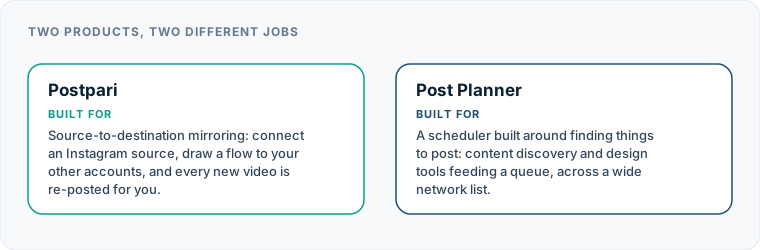
Source-to-destination mirroring: connect an Instagram source, draw a flow to your other accounts, and every new video is re-posted for you.
- From
- $9/mo
- Free plan
- No
- Trial
- 7 days
- Source-triggered mirroring
- Yes
- One post to several destinations
- Yes
- Schedule posts for a chosen time
- Yes
- Backfills older posts
- Yes
- Several accounts on one network
- Yes
- Reformats content per platform
- Not verified
- Removes source watermark
- Not verified
- Visual calendar
- Not verified
- Analytics
- Yes
- Approval workflows
- Not verified
Post Planner
A scheduler built around finding things to post: content discovery and design tools feeding a queue, across a wide network list.
- From
- $9/mo
- Free plan
- Yes
- Trial
- 7 days
- Source-triggered mirroring
- Not verified
- One post to several destinations
- Yes
- Schedule posts for a chosen time
- Yes
- Backfills older posts
- Not verified
- Several accounts on one network
- Yes
- Reformats content per platform
- Not verified
- Removes source watermark
- Not verified
- Visual calendar
- Yes
- Analytics
- Yes
- Approval workflows
- Not verified
“Not verified” means we could not find the vendor stating it on their own site. It is not a claim that the product cannot do it.
Content Curation vs Source Mirroring: What Each Product Is Built For
Understanding how each product approaches the daily workflow reveals which software saves you real operational time.
Post Planner: Find, Design, and Schedule
Post Planner functions as an all-in-one command center for content creators and small businesses who need a steady stream of material. Its core strength lies in its recommendation engine. You can search for keywords, topics, or specific social feeds to find top-performing articles, images, and text posts within your industry.
Once you select content, you can edit it, add your own commentary, and push it directly into a visual calendar. Post Planner emphasizes recurring post queues, where you assign specific content types to specific time slots. It provides direct design tools so you can tweak visuals without leaving the app, making it a complete hub for ideation through publication.
Postpari: Trigger-Based Mirroring
Postpari does not feature a content discovery engine, a draft manager, or a visual content calendar. It operates on a source-to-destination architecture. You set up routing rules—such as taking every post from an Instagram source profile and broadcasting it out to TikTok, YouTube, X, Threads, Bluesky, LinkedIn, Pinterest, and Facebook Pages.
As detailed in our Postpari review, you never open Postpari to compose a post. You simply publish your Reel or video on Instagram as you normally would. Postpari detects the new upload, processes the file, and mirrors it to your connected destination channels according to your platform preferences.
Where Post Planner Wins: Content Discovery and Local Reach
Post Planner provides distinct advantages for specific marketing strategies, particularly for local businesses, agencies, and general brand managers who rely on mixed media formats.
Built-In Discovery and Curation
For teams that publish industry news, curated blog links, or third-party quote graphics, Post Planner is a clear winner. You do not need a separate reader or research tool to find trending topics. You can curate a full week of text and link updates inside the dashboard, edit the captions, and populate your queue in one sitting.
Google Business Profile Support
Local service businesses, storefronts, and multi-location franchises require active updates on local search profiles. Post Planner supports publishing to Google Business Profile alongside standard social networks. This capability makes it a practical tool for brick-and-mortar marketing, where sharing store updates, promotional offers, and operating hours directly to search listings is critical.
Accessible Entry Points and Visual Planning
Post Planner offers a genuine free tier and a very low-cost entry plan, allowing individual creators and small shops to begin scheduling updates without a major software investment. Its visual calendar and drag-and-drop queue management give users clear control over when every single post goes live. If you are evaluating a post planner alternative, keep in mind that few tools offer this specific combination of low-tier pricing and built-in content recommendations.
Where Postpari Wins: Hands-Free Instagram Mirroring
Postpari delivers maximum value to video creators, media brands, and personal brands whose primary creative environment is Instagram.
+-------------------------------------------------------------------+ | POSTPARI WORKFLOW | | | | [ Create & Publish Reel ] | | │ | | ▼ | | ( Instagram Source ) | | │ | | ├─────────────────┬─────────────────┐ | | ▼ ▼ ▼ | | ( TikTok ) ( YouTube Shorts ) ( X / Threads ) | | | | Result: Publish once natively. Distribution happens behind | | the scenes automatically. | +-------------------------------------------------------------------+
Eliminating the Upload Cycle
If you post short videos regularly, manually re-uploading the same clip to multiple platforms consumes hours of administrative time every month. With Postpari, your posting workflow remains entirely inside Instagram. You write your caption, select your cover frame, and tap publish. Postpari handles the cross-platform distribution in the background without requiring you to log into a secondary scheduling dashboard.
Multi-Account and Backup Network Management
Postpari supports connecting multiple accounts across the same platform, including backup profiles. If you operate a primary brand handle alongside a secondary niche account or a personal backup profile, you can map your source feed to send updates to multiple destinations simultaneously. Higher-tier plans also allow you to set up mirroring rules based on public Instagram source feeds, making it possible to aggregate and distribute content streams across external network assets.
Automated Backfilling
When launching new destination accounts on secondary platforms like Bluesky, Threads, or Pinterest, filling out an empty feed is tedious. Postpari includes a backfill feature that automatically drips your previously published Instagram posts to a newly connected destination channel over time. This warms up new profiles without spamming followers or requiring manual back-catalog uploads.
Postpari vs Post Planner: Pricing Models and Value
Evaluating cost requires looking at how each vendor structures its plans, as they bill for completely different operational metrics.
+--------------------------+----------------------------------------+ | TOOL | PRICING STRUCTURE BASIS | +--------------------------+----------------------------------------+ | Post Planner | Scaled by profile counts and calendar | | | posting limits; includes a basic free | | | entry tier. | +--------------------------+----------------------------------------+ | Postpari | Scaled by mirror speed, source rules, | | | and total account volumes under fair | | | use limits. | +--------------------------+----------------------------------------+
Post Planner uses a conventional social media management billing model. Its plans scale based on the number of social profiles you connect, the number of posts you can schedule per day or month, and access to team collaboration tools. Because it offers a free plan and a low-cost entry tier, it is ideal for budget-conscious marketers who only manage a handful of accounts and prefer to schedule posts manually through a weekly calendar.
Postpari structures its plans around distribution volume, posting speed, and mirroring capacity. Instead of charging purely per profile slot, it tiers pricing based on how quickly posts sync from your source account to your destination platforms, how many active source-to-destination pipelines you run, and advanced capabilities like profile backfilling or account copying. You pay for hands-off operational speed rather than dashboard features.
Supported Networks and Profile Capabilities
When selecting a tool, network support often dictates which software fits your technical requirements. When reviewing options across the best cross-posting tools, verifying how each system handles specific network destinations is essential.
| Platform / Capability | Post Planner Capabilities | Postpari Capabilities |
|---|---|---|
| Primary Workflow Focus | Calendar scheduling & content discovery | Automated source-to-destination mirroring |
| Posts, Reels, and Stories planning | Primary source feed for video mirroring | |
| TikTok | Scheduled video publishing | Automated mirror destination |
| YouTube | Scheduled video updates | Automated Shorts/video destination |
| Facebook Pages & Groups | Facebook Pages only | |
| X (formerly Twitter) | Text, image, & video scheduling | Automated mirror destination |
| Personal profiles & Company pages | Profiles & Company pages destination | |
| Pin scheduling | Automated mirror destination | |
| Google Business Profile | Native post & update scheduling | Not supported |
| Threads & Bluesky | Text & image scheduling | Automated mirror destination |
| Content Discovery Engine | Native article & feed curation | Not applicable |
| Backfill Existing Posts | Manual re-queueing | Automated historical drip |
Post Planner holds a distinct edge if your marketing strategy includes local SEO or community moderation via Facebook Groups and Google Business Profiles. Its ability to aggregate links, text updates, and visual pins makes it versatile for multi-format content strategies.
Postpari is tailored specifically for modern short-form video ecosystems. It supports emerging decentralized networks like Bluesky alongside mainstream platforms like Threads, TikTok, YouTube, and Instagram. However, Postpari strictly distributes posts to Facebook Pages, not personal profiles, adhering to platform API standards.
Automation Depth and Post Planner Cross Posting
The operational difference between these two systems comes down to manual scheduling versus background triggers.
+-------------------------------------------------------------------+ | POST PLANNER WORKFLOW | | | | [ Discover/Write Content ] ──► [ Select Platforms ] | | │ | | ▼ | | [ Set Calendar Time Slot ] | | │ | | ▼ | | [ Wait for Scheduled Post ] | +-------------------------------------------------------------------+
With post planner cross posting, you interact with a centralized draft screen. You write a caption, attach a image or video, and check the boxes for the networks where you want that update published. You can adjust the text for individual channels or leave it identical across profiles. Then, you pick a time on the calendar or assign the post to an open queue slot. It is an organized process, but it requires you to manually stage every piece of content inside Post Planner before it goes live anywhere.
Postpari operates on automated triggers. There is no draft window or post composer. You configure your routing parameters once: Instagram Reel goes live $\rightarrow$ Postpari downloads the source video $\rightarrow$ Postpari publishes it to TikTok, YouTube, and X automatically.
Because Postpari relies on automated polling, your posting frequency is governed by fair-use limits per source account to ensure smooth operation within platform guidelines. For creators who already build their content inside Instagram’s native camera and editing suite, this approach removes the step of saving files to a camera roll and re-uploading them to a third-party web dashboard.
What Neither Tool Can Do for Your Workflow
While both platforms reduce repetitive publishing steps, neither is a full-suite enterprise social media management engine. Knowing these limitations prevents costly buying mistakes.
- Unified Social Inbox: Neither platform offers a unified message inbox for managing incoming comments, direct messages, or customer support inquiries across networks. You must still manage platform interactions natively or use dedicated engagement software.
- Publishing to Facebook Personal Profiles: Official platform APIs restrict automated posting to personal Facebook profiles. Both Postpari and Post Planner publish strictly to Facebook Pages (and in Post Planner’s case, supported Groups).
- Multi-Tier Agency Approvals: Neither tool is designed for complex agency workflows that require client sign-off steps, legal compliance reviews, or multi-stage internal approvals before a post can be staged.
- In-Depth Analytics and Social Listening: While Post Planner provides performance metrics on scheduled content, neither tool functions as a full-scale social listening or brand monitoring platform.
If your priority is discovering high-performing link content, organizing visual queues on a calendar, and posting updates to Google Business Profile, Post Planner is the right tool for the job. If your goal is to publish a Reel on Instagram and have it automatically mirror across your secondary video channels without opening a single scheduling app, Postpari is built specifically for your workflow.
Which one should you pick?
There is no single winner here, because these tools are not trying to do the same job. Match the row to your own situation.
| If your situation is | Pick | Why |
|---|---|---|
| You struggle to find things to post | Post Planner | Content discovery and design tools are the product. Postpari has nothing of the kind and does not claim to. |
| You already make video and just need it distributed | Postpari | Mirroring removes the repeated upload. Discovery features would go unopened. |
| You want to spend nothing while you test | Post Planner | It has a free plan. Postpari requires a card for its trial and has no free tier. |
| You need Google Business Profile | Post Planner | Postpari does not list it among its networks. |
| You run a main plus backup account on the same network | Postpari | Source-to-destination mirroring keeps the second account current without doubling your work. |
Frequently asked questions
What is the main difference between Postpari and Post Planner?
Post Planner is a content discovery and calendar scheduling dashboard designed to help you find post ideas, curate articles, and stage content across multiple networks. Postpari is an automated background engine that detects when you publish a new video on Instagram and automatically mirrors it to your other connected social accounts without manual intervention.
Does Post Planner offer a free plan?
Yes, Post Planner provides a genuine free plan with basic entry capabilities, making it easy to test its scheduling and content discovery features before committing to a paid tier. Postpari is built as a paid distribution tool structured around account mirroring rules and automation volume.
Can Postpari publish content to Google Business Profile?
No, Postpari does not support publishing to Google Business Profile. Post Planner natively supports Google Business Profile alongside mainstream social networks, making it a better option for local businesses managing local search updates.
How does cross-posting work in Postpari compared to Post Planner?
In Post Planner, you manually draft a post inside a composer, select your target channels, and assign it to a calendar time slot. In Postpari, you publish natively on your main Instagram account; Postpari detects the update behind the scenes and automatically mirrors it across your linked destination profiles.
Can either tool post directly to personal Facebook profiles?
No, neither Postpari nor Post Planner can post to personal Facebook profiles due to platform API restrictions. Both tools publish exclusively to Facebook Pages, while Post Planner also offers support for Facebook Groups.