Postpari vs SocialPilot: Which One Fits Your Workflow?
Prices and features last checked: August 2026 · Sources: postpari.com , postpari.com , postpari.com , socialpilot.co
BestCrossPosting.com is operated by the team behind Postpari. We benefit when readers sign up, so treat our Postpari recommendations as the recommendations of an interested party — and check our claims against the sources we link. Full disclosure · How we compare products
When evaluating Postpari vs SocialPilot, the choice comes down to whether you are a video creator who wants short clips published automatically across platforms or an agency team managing social channels for several clients.
If you manage client accounts, need multi-user seats, and rely on a visual calendar with approval steps, SocialPilot is the better choice. If you publish short video reels on Instagram and want them mirrored automatically to TikTok, YouTube Shorts, and other networks without touching a scheduling interface, Postpari is built for your workflow.
Understanding how these two services handle distribution requires looking past their basic feature lists. One operates as a complete management dashboard for social media teams, while the other functions as an automated passive bridge between accounts. Finding the right fit depends entirely on how your media gets produced and who handles the publishing steps. For a broader context on available options, check our detailed directory of social media tools.
Postpari vs SocialPilot: The Short Version
SocialPilot and Postpari approach cross-posting from opposite directions. SocialPilot requires active input: you log into a central dashboard, write captions, upload assets, set publishing times, and assign approvals. It acts as an operational hub for teams that publish diverse content types across dozens of brand profiles.
Postpari operates in the background. You connect an Instagram account as your primary video source, select your destination networks, and walk away. When you publish a new short video on Instagram, Postpari detects the upload and automatically replicates that clip across your connected accounts. There is no central dashboard to log into every day, no manual scheduling queue to fill, and no per-destination post composing.
The decision between them is rarely about specific features in isolation. It is about team size and content production habits. Solo creators and small media operations focused on short-form video often find traditional scheduling tools tedious. Agencies handling multi-channel brand campaigns, on the other hand, cannot function without the oversight tools that a dedicated management platform provides.
| Feature | Postpari | SocialPilot |
|---|---|---|
| Starting price | $9/mo | $20/mo |
| Free plan | No | No |
| Free trial | 7 days | 14 days |
| Source-triggered mirroring | Yes | Not verified |
| One post to several destinations | Yes | Yes |
| Schedule posts for a chosen time | Yes | Yes |
| Backfills older posts | Yes | Not verified |
| Several accounts on one network | Yes | Yes |
| Reformats content per platform | Not verified | Not verified |
| Removes source watermark | Not verified | Not verified |
| Visual calendar | Not verified | Yes |
| Analytics | Yes | Yes |
| Approval workflows | Not verified | Not verified |
| Networks listed | 9 | 10 |
Postpari
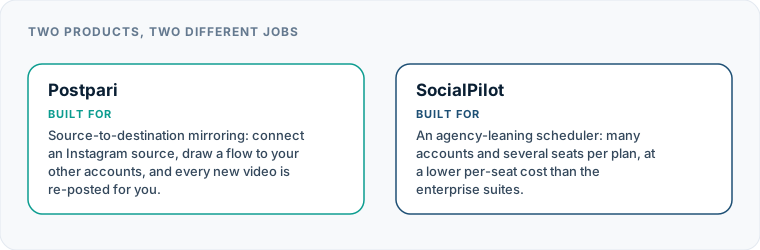
Source-to-destination mirroring: connect an Instagram source, draw a flow to your other accounts, and every new video is re-posted for you.
- From
- $9/mo
- Free plan
- No
- Trial
- 7 days
- Source-triggered mirroring
- Yes
- One post to several destinations
- Yes
- Schedule posts for a chosen time
- Yes
- Backfills older posts
- Yes
- Several accounts on one network
- Yes
- Reformats content per platform
- Not verified
- Removes source watermark
- Not verified
- Visual calendar
- Not verified
- Analytics
- Yes
- Approval workflows
- Not verified
SocialPilot
An agency-leaning scheduler: many accounts and several seats per plan, at a lower per-seat cost than the enterprise suites.
- From
- $20/mo
- Free plan
- No
- Trial
- 14 days
- Source-triggered mirroring
- Not verified
- One post to several destinations
- Yes
- Schedule posts for a chosen time
- Yes
- Backfills older posts
- Not verified
- Several accounts on one network
- Yes
- Reformats content per platform
- Not verified
- Removes source watermark
- Not verified
- Visual calendar
- Yes
- Analytics
- Yes
- Approval workflows
- Not verified
“Not verified” means we could not find the vendor stating it on their own site. It is not a claim that the product cannot do it.
Postpari vs SocialPilot: What Each Tool Is Built For
Every publishing tool is designed around a specific primary user profile. A side-by-side SocialPilot comparison makes these differences clear:
+--------------------------+----------------------------------+----------------------------------+ | Workflow Feature | SocialPilot | Postpari | +--------------------------+----------------------------------+----------------------------------+ | Primary Focus | Multi-account agency management | Automatic short-video mirroring | | Primary Trigger | Manual schedule / queue entry | Instagram reel publication | | Content Formats | Text, images, carousels, video | Short-form video | | User Access Model | Multi-seat team workspaces | Single-user flow management | | Review & Approval | Client and internal sign-offs | None (direct mirror) | | Visual Calendar | Interactive drag-and-drop | None | | Historical Backfill | Manual re-scheduling | Automated drip backfill | +--------------------------+----------------------------------+----------------------------------+
What SocialPilot Is Built For
SocialPilot is engineered for agency teams, freelance social media managers, and mid-sized businesses. Its architecture assumes that content must be reviewed, tweaked per platform, scheduled in advance, and monitored after publication.
It centralizes multi-channel operations into single workspaces. You can organize accounts by client, grant specific access permissions to team members, and invite external clients to review posts before they go live. It is designed to manage the entire life cycle of social content, from drafting to client approval and performance review.
What Postpari Is Built For
Postpari is engineered specifically for video creators, personal brands, and lean media operations. It treats Instagram as the canonical source for short-form video and handles the friction of distributing those videos to other platforms.
Instead of asking you to construct posts inside a third-party editor, Postpari lets you use native mobile apps to craft your video clips and upload them directly to Instagram. Once the video goes live on your source profile, the underlying system handles distribution to your target destinations automatically. For a deeper breakdown of this approach, read our in-depth Postpari review.
Where SocialPilot Wins: Agency Management and Multi-User Teams
SocialPilot holds a clear advantage when your work involves team collaboration, client administration, or diverse post types. If you manage social media accounts for third parties, Postpari is not designed for your setup.
Workspaces and Seat Allowances
SocialPilot structures its plans around teams. Rather than charging extra for every additional user who logs into the dashboard, it includes multiple team seats across its service tiers. This makes it straightforward to assign account managers, content writers, and designers to specific client accounts without sharing passwords.
You can set explicit user roles, allowing junior staff members to compose drafts while restricting final publishing privileges to account managers or clients. Postpari has no user management system or seat delegation; it is designed for a single account owner managing their own distribution flows.
Content Diversity Beyond Short Video
If your social strategy relies heavily on single-image posts, multi-slide carousels, text updates, or link shares, SocialPilot is the necessary choice. It provides tailored post composers for every supported network, allowing you to add platform-specific tags, links, and formatting before publishing.
Postpari strictly handles short-form video content. It does not support still images, photo carousels, or standalone text posts. If your brand publishes graphics on LinkedIn, link previews on Facebook, or photo sets on Pinterest, SocialPilot covers those formats.
Client Approval Workflows and Dashboard Tools
Agencies rarely publish content without sign-off. SocialPilot includes built-in approval workflows that let clients review scheduled posts, drop comments, request revisions, or approve items for publication.
It also provides an interactive visual calendar, post queues, and central dashboard monitoring. If a workflow requires visual confirmation of what is going live next Thursday at noon across three client brands, SocialPilot delivers that visibility.
Where Postpari Wins: Hands-Off Video Distribution
While SocialPilot excels at structured team planning, it adds unnecessary overhead for individual creators whose main output is short video. This is where choosing Postpari or SocialPilot becomes a matter of eliminating manual work.
Eliminating the Intermediate Upload Step
Using a traditional scheduling dashboard to distribute short videos introduces repetitive labor:
- You edit a short video on your phone or computer.
- You upload it natively to Instagram to take advantage of native audio, filters, or mobile tools.
- You open a scheduling dashboard on your computer.
- You upload the raw video file a second time.
- You re-type or copy-paste your caption.
- You select destination profiles, adjust posting times, and click schedule.
Postpari removes steps three through six entirely. You publish your Reel natively on Instagram, and the backend automated flow handles the rest. Your video arrives on your secondary platforms without you ever logging into a secondary dashboard or re-uploading the file.
Drip Backfilling of Existing Video Archives
If you have built up a library of short videos on Instagram over months or years, posting that archive to newly opened destination accounts is exhausting work with a standard tool. You would have to locate raw video files, upload them one by one, and set up individual release schedules.
Postpari includes an automated backfill mechanism. It can access your existing Instagram video archive and drip those historical posts out to your destination channels over time. This lets you populate new profiles on TikTok, YouTube Shorts, or X automatically while maintaining your ongoing schedule for new uploads.
Mirroring External Source Accounts
Higher service tiers of Postpari offer the ability to set a public Instagram account that you do not own as a source trigger. This allows media networks, curators, and brands running multi-account strategies to automatically mirror video content from a primary public feed into secondary distribution profiles. Standard management tools like SocialPilot cannot monitor external public accounts for automatic content syndication.
Pricing Models: Seats and Accounts vs Distribution Pipelines
Comparing costs between these services requires looking at how each platform measures usage. Comparing them on price alone is misleading because they charge for entirely different things.
SocialPilot’s Multi-Seat, Multi-Account Bundles
SocialPilot scales its pricing based on two metrics: the number of social media profiles connected and the number of team members who need access.
Because plans include multiple seats from entry-level tiers upward, adding staff members to your workspace does not trigger additional per-user fees. This makes the billing predictable for agencies growing their client roster. You pay for a pool of social channels and user slots. Whether you post once a week or ten times a day to those channels does not alter your tier, provided you stay within standard API usage thresholds.
Postpari’s Pipeline and Automation Tiering
Postpari does not charge by team seats. Instead, its tiers scale based on the speed of distribution, the number of active automated source-to-destination flows you maintain, and advanced automation options like historical backfilling or external account mirroring.
For a creator managing a personal brand across seven video platforms, Postpari is far more cost-effective than paying for an agency-grade management suite packed with multi-user features you will never touch. Conversely, an agency trying to use Postpari for twenty client brands would quickly realize it lacks the multi-seat administration required for agency operations. If you decide SocialPilot is not right for your team setup, you can also review our guide to SocialPilot alternatives.
Supported Networks and Platform Nuances
Both services connect to the major social platforms, but they interact with platform APIs differently.
+-------------------+-----------------------------------+-----------------------------------+ | Platform | SocialPilot Support | Postpari Support | +-------------------+-----------------------------------+-----------------------------------+ | Instagram | Direct posting, business accounts | Primary source account & mirror | | TikTok | Scheduled video posts | Direct automated target | | YouTube | Video posts & Shorts scheduling | YouTube Shorts target | | Facebook | Pages and Groups | Facebook Pages only | | LinkedIn | Profiles and Pages | Profiles and Pages target | | Pinterest | Pin scheduling | Pin video target | | Threads | Text, image, and video posts | Text & video target | | X (Twitter) | Direct posting | Direct target | | Bluesky | Direct posting | Direct target | +-------------------+-----------------------------------+-----------------------------------+
Facebook Publishing Restrictions
A key platform restriction shared by both tools involves Facebook publishing. Neither SocialPilot nor Postpari can publish automatically to personal Facebook profiles. Facebook’s public platform API strictly restricts automated publishing tools to Facebook Pages. If your strategy relies on publishing content directly to a personal Facebook timeline, no third-party cross-posting tool can accommodate that flow.
Network Specialization
SocialPilot offers broader support for varied content formats across networks, including text updates on X, image pins on Pinterest, and graphic posts on LinkedIn Pages.
Postpari connects to Instagram, TikTok, YouTube, Facebook Pages, LinkedIn, Pinterest, Threads, X, and Bluesky. However, its distribution logic is optimized exclusively for short-form video content and its accompanying caption text across these target endpoints.
Automation Depth: Passive Mirroring vs Active Scheduling
The debate over SocialPilot cross posting comes down to how much control you want to retain over every individual post versus how much time you want to save.
Manual Creator Workflow (SocialPilot / Standard Tools): [ Record Video ] ──> [ Upload to Instagram ] │ └──> [ Log into Dashboard ] ──> [ Upload File ] ──> [ Write Captions ] ──> [ Schedule Multi-Platform ]
Automated Mirroring Workflow (Postpari): [ Record Video ] ──> [ Upload to Instagram ] ──> ( Automatic Trigger ) ──> [ Auto-Distributed Everywhere ]
Active Scheduling (SocialPilot)
Active scheduling gives you total granular control. When using SocialPilot, you decide the exact minute a post goes live on LinkedIn versus when it hits X. You can customize the caption for each network, adding hashtags on Instagram while keeping the text concise for X.
This control requires active effort. Every video must be uploaded, formatted, assigned to channels, and queued manually. If you publish three short videos a day across five networks, you are managing fifteen individual publishing events daily.
Passive Mirroring (Postpari)
Passive mirroring prioritizes time savings over individual post customization. When you post a Reel on Instagram, Postpari picks up the video and caption, processes the media, and sends it down your configured pipelines to your destination channels automatically.
The tradeoff is clear: you do not manually adjust captions per destination channel on the fly, nor do you set custom offset schedules for individual clips. The automation trades custom destination tweaks for a completely hands-off distribution pipeline.
What Neither Tool Does for Your Workflow
While both platforms reduce the manual effort of managing multiple social profiles, neither is a complete hands-off marketing department. Understanding their limitations prevents setup headaches later.
- Neither tool repairs bad video formatting: If you record a horizontal 16:9 video and push it to a vertical 9:16 channel like TikTok or YouTube Shorts, neither tool will intelligently re-frame or crop your subject matter. You must format your video correctly during production.
- Neither tool writes unique, context-aware captions for every destination automatically: While some tools offer generic AI writing assistants, neither platform will automatically rewrite a casual TikTok caption into a polished professional update for LinkedIn without manual intervention.
- Neither tool bypasses platform API rules: Neither service can publish to personal Facebook profiles, bypass rate limits imposed by secondary platforms, or circumvent copyright flags on commercial music tracks.
- Neither tool removes platform watermarks automatically across all sources: If you render a video inside an app that bakes a visible logo overlay directly into the exported video file, that visual mark remains on the file when cross-posted. It is always best practice to upload clean source files.
Choosing between these options requires honest assessment of your daily operations. If you spend your days building multi-channel campaigns for clients, setting up approval queues, and managing content calendars, SocialPilot is built for your business. If you are a creator who wants your short-form videos to reach every platform automatically without forcing you into a daily scheduling interface, Postpari is the clear winner. For more detailed breakdowns across other software combinations, visit our broader social media comparisons.
Which one should you pick?
There is no single winner here, because these tools are not trying to do the same job. Match the row to your own situation.
| If your situation is | Pick | Why |
|---|---|---|
| You have a team and 10 to 40 client accounts | SocialPilot | Seats are included rather than charged per user, which is unusual at this price. |
| You are one person with several of your own accounts | Postpari | You would be paying for collaboration features nobody is going to use. |
| Clients need to approve posts | SocialPilot | It is built for client workflows; we could not verify approvals in Postpari. |
| The job is mirroring one source to many destinations | Postpari | SocialPilot schedules; it does not mirror a source account as far as we could verify. |
Frequently asked questions
Is SocialPilot better than Postpari for managing agency clients?
Yes. SocialPilot is specifically designed for agencies, offering client approval workflows, multi-user permissions, visual planning calendars, and team collaboration features. Postpari is built for individual creators and does not include client management or multi-seat team workspaces.
Can Postpari automatically cross-post images and carousels?
No. Postpari strictly handles short-form video distribution. If your social media strategy relies heavily on still images, text posts, or multi-photo carousels, you will need a traditional social media management platform like SocialPilot.
Do either of these tools allow posting to personal Facebook profiles?
No. Due to official Meta API rules, neither Postpari nor SocialPilot can publish automated posts to personal Facebook timelines. Both tools only support publishing to official Facebook Pages.
How does Postpari detect new videos to cross-post?
Postpari acts as a passive bridge connected to your primary source account, typically Instagram. When you publish a new short video or Reel natively on your source profile, Postpari automatically detects the post and mirrors it to your selected destination channels.
Can I customize captions for each platform when using automated cross-posting?
SocialPilot allows you to customize captions and post formatting for each network individually before scheduling. Postpari automatically mirrors the caption from your primary source post directly to your destination channels to keep the distribution process entirely hands-free.