Postpari vs Later: Which One Fits Your Workflow?
Prices and features last checked: August 2026 · Sources: postpari.com , postpari.com , postpari.com , later.com , later.com
BestCrossPosting.com is operated by the team behind Postpari. We benefit when readers sign up, so treat our Postpari recommendations as the recommendations of an interested party — and check our claims against the sources we link. Full disclosure · How we compare products
Choosing between Postpari vs Later comes down to whether you want to curate a visual content calendar or run a fully automated distribution pipeline for your short video content.
If your workflow depends on visually organizing a grid, tracking sales via a link-in-bio page, and approving posts manually before publication, Later is the tool you should choose. If you already publish short video content directly on Instagram and want those posts mirrored across every other major network without touching another dashboard, Postpari is the better choice.
Evaluating tools in our detailed social media software comparisons shows how dramatically their underlying designs differ. Later is a visual social media management dashboard built around manual scheduling and visual curation. Postpari is an automated engine that detects new video uploads on a source account and distributes them across destination platforms.
The Short Version: Evaluating Postpari vs Later
The decision between these two platforms hinges on a single question: do you want to plan your content ahead of time, or do you want to eliminate manual distribution altogether?
Later asks you to upload media to a library, drag items onto a visual calendar, write captions, set publication times, and manage your public link-in-bio page. It gives you complete control over how your profiles look before anything goes live. It is designed for marketers, brand managers, and influencers who treat the visual aesthetics of their feed as a core product.
Postpari operates in the background. You connect your social channels, set up a distribution flow from your main Instagram account to your destination profiles, and close the browser tab. When you post a Reel to Instagram, Postpari detects the new video and automatically re-posts it to your other connected channels. You never log into Postpari to compose a post or drag an asset onto a schedule.
If you produce content directly inside Instagram or edit videos externally and upload them to Instagram first, manual scheduling tools force you to repeat the upload process for every single network. That manual work is what separates standard scheduling platforms from true automated distribution systems.
| Feature | Postpari | Later |
|---|---|---|
| Starting price | $9/mo | $18.75/mo |
| Free plan | No | No |
| Free trial | 7 days | 14 days |
| Source-triggered mirroring | Yes | Not verified |
| One post to several destinations | Yes | Yes |
| Schedule posts for a chosen time | Yes | Yes |
| Backfills older posts | Yes | Not verified |
| Several accounts on one network | Yes | Yes |
| Reformats content per platform | Not verified | Not verified |
| Removes source watermark | Not verified | Not verified |
| Visual calendar | Not verified | Yes |
| Analytics | Yes | Yes |
| Approval workflows | Not verified | Not verified |
| Networks listed | 9 | 8 |
Postpari
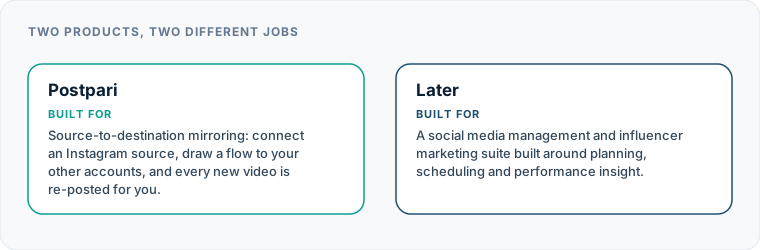
Source-to-destination mirroring: connect an Instagram source, draw a flow to your other accounts, and every new video is re-posted for you.
- From
- $9/mo
- Free plan
- No
- Trial
- 7 days
- Source-triggered mirroring
- Yes
- One post to several destinations
- Yes
- Schedule posts for a chosen time
- Yes
- Backfills older posts
- Yes
- Several accounts on one network
- Yes
- Reformats content per platform
- Not verified
- Removes source watermark
- Not verified
- Visual calendar
- Not verified
- Analytics
- Yes
- Approval workflows
- Not verified
Later
A social media management and influencer marketing suite built around planning, scheduling and performance insight.
- From
- $18.75/mo
- Free plan
- No
- Trial
- 14 days
- Source-triggered mirroring
- Not verified
- One post to several destinations
- Yes
- Schedule posts for a chosen time
- Yes
- Backfills older posts
- Not verified
- Several accounts on one network
- Yes
- Reformats content per platform
- Not verified
- Removes source watermark
- Not verified
- Visual calendar
- Yes
- Analytics
- Yes
- Approval workflows
- Not verified
“Not verified” means we could not find the vendor stating it on their own site. It is not a claim that the product cannot do it.
What Each Product Is Actually For
To understand where each software fits, you have to look at their target workflows rather than comparing feature matrices side by side.
Later: Visual Planning and Brand Management
Later was built from the ground up as an Instagram-first visual planner. Over time, it expanded into a full social media management dashboard incorporating scheduling for multiple networks, analytics reporting, a link-in-bio tool, and creator collaboration marketplace features.
Its defining feature remains the visual media library and feed preview. You upload raw images and videos into a central storage bin, drag them onto a digital calendar, and preview how your Instagram profile grid will look once those posts go live. Later is tailored for businesses that sell physical products, agencies managing visual aesthetics for clients, and creators running dedicated campaign schedules.
Postpari: Hands-Off Video Mirroring
Postpari is engineered specifically for hands-off distribution. It does not try to be a content studio, a analytics suite, or a conversation inbox. Its single task is source-to-destination mirroring.
In a standard setup, your Instagram profile acts as the trigger source. When you publish a video on Instagram, Postpari handles the distribution, sending that video out to your target destinations across platforms like TikTok, YouTube, and Facebook. As detailed in our Postpari system review, the goal is to make cross-posting invisible. You spend zero minutes copying text, downloading files, or uploading identical video files across six different apps.
Where Later Is the Better Answer
Later wins clearly when your content strategy relies on pre-publication control, visual curation, and community commerce. Postpari cannot replace Later if your brand requires the following workflows:
Visual Grid Preview and Planning
If maintaining a specific aesthetic grid pattern on Instagram is vital to your brand identity, Later is purpose-built for you. Its drag-and-drop calendar lets you re-order planned image and video posts to ensure color schemes and layout patterns balance out across your profile feed before anything publishes.
Multi-Format Campaigns and Carousels
Later handles still images, carousel posts, graphics, and video files equally well across standard manual scheduling channels. If your weekly content output consists of carousel slide decks, static product photography, and text graphics, Later gives you a centralized dashboard to stage those assets.
Integrated Link-in-Bio and E-Commerce Tracking
Later includes an integrated link-in-bio feature that turns your profile link into a clickable, shoppable mirror of your media feed. For e-commerce stores and digital publishers tracking revenue directly from post clicks, this built-in landing page integration provides a complete funnel from scheduled post to store visit.
Influencer Management and Campaign Analytics
Later includes features built specifically for brand-creator partnerships, allowing organizations to find influencers, manage outreach, and track performance metrics across active campaigns. If you need executive-ready reporting PDFs to prove ROI to clients or leadership, Later’s reporting suites are designed for that purpose.
Where Postpari Is the Better Answer
Postpari delivers a far better experience when your objective is maximum distribution efficiency with minimal administrative overhead.
Pure Short-Video Workflows
If your publishing strategy centers on short-form video—Reels, Shorts, and vertical video posts—publishing manually through a scheduler introduces friction. With Postpari, you record, edit, and publish your video directly inside Instagram. The moment it goes live, the platform handles spreading that video to your secondary networks. You eliminate the step of saving files to your desktop and re-uploading them to a third-party scheduler.
Multi-Account and Backup Account Strategies
Managing multiple social profiles on the same platform—such as a personal account, a primary brand handle, and a secondary backup page—is tedious on standard social dashboards. Postpari allows you to route content from a single Instagram source account out to several destination accounts simultaneously, including main and backup channels on platforms like TikTok or X.
Content Backfilling and Drip Publishing
When launching a new channel on a secondary network, populating it with historical content usually takes hours of downloading and re-uploading old files. Postpari includes a backfill capability that automatically drips previously published posts from your source Instagram account out to your newly connected destination accounts over time, building out your profile archive on auto-pilot.
Secondary Account Mirroring at Scale
For digital media companies operating network portfolios, higher-tier Postpari plans allow you to set up mirroring from public Instagram source accounts. This allows media operators to distribute public video feeds across owned distribution channels automatically without manually fetching source files.
Pricing Models: Account Bundles in a Postpari vs Later Comparison
Comparing costs between these two services requires looking at how each platform packages its access limits. The structural difference in their pricing models impacts your overall spend depending on how many channels you operate.
| Pricing Dimension | Later | Postpari |
|---|---|---|
| Core Pricing Unit | “Social Sets” (bundles of 1 profile per network) | Connected source and destination channels |
| Plan Tiers Based On | Feature access, seat count, and profile bundles | Posting speed allowances and account caps |
| Primary Cost Driver | Adding additional brand profiles or team members | Expanding destination channels and volume |
| Free Tier Availability | No free plan available | Variable plan tiers (no permanent zero-cost tier) |
| Scaling Penalty | Buying unused profile slots when adding one network | Scaling up cost based on heavy post volumes |
Later sells subscriptions based on “Social Sets.” A single Social Set typically includes one profile from each supported network (for instance, one Instagram, one Facebook, one TikTok, one Pinterest, one X account). If you operate three Instagram accounts and three TikTok accounts for different brands, you must purchase multiple Social Sets. If you only use two platforms, you still pay for the full bundle of unused account slots included in that set.
Postpari calculates tiers based on operational throughput—posting speed, source account limits, and total connected destination accounts. This approach is far more economical for creators who focus heavily on multiple profiles across a few select platforms. You are not forced to buy bundled slots for networks you do not operate.
If you are exploring alternative options in the market, reading through our list of top Later alternative tools will show how various management platforms handle account bundling versus per-channel billing.
Supported Networks and Channel Capabilities
Both platforms support the major social networks, but their execution at the API layer differs based on their primary use cases.
Postpari Workflow: [Instagram Source Account] ──(Automatic Mirror)──► [TikTok / Shorts / FB Page / Threads / X / etc.]
Later Workflow: [Media Upload] ──► [Visual Planner Dashboard] ──► [Manual Schedule per Channel]
Network Coverage Comparison
- Instagram: Later supports standard feed posts, carousels, Stories, and Reels through scheduled publishing. Postpari uses Instagram as its primary trigger source, capturing published video content to send out to destination networks.
- TikTok & YouTube: Later allows you to schedule vertical video uploads to both platforms. Postpari mirrors short video content directly to TikTok profiles and YouTube Shorts automatically upon source publication.
- Facebook: Later schedules posts to Facebook Pages and Groups. Postpari publishes automatically to Facebook Pages (personal profiles are not supported for automated publishing on either network).
- Secondary Networks (Threads, X, Bluesky, Pinterest, LinkedIn): Postpari supports video distribution across all of these destinations, including decentralized platforms like Bluesky. Later supports X, Pinterest, and LinkedIn for standard scheduled publishing, while its focus remains heavily visual.
If your distribution model requires reaching emerging platforms alongside traditional networks, browse our breakdown of the best social media cross-posting engines to see which platforms natively connect to decentralized networks.
Automation Depth: Scheduling vs. Hands-Off Mirroring
The functional divide between these products rests entirely on automation depth. A Later alternative like Postpari operates on a fundamentally different logic engine than traditional schedulers.
Manual Staging (Later)
Using Later for cross-posting requires proactive manual intervention:
- Export your finished video file from your editing application to your computer or phone.
- Open Later, upload the media asset to your central library, and wait for processing.
- Select the target social network tabs inside the post builder.
- Customize your caption, set hashtags, adjust post timing, and schedule the publication.
- Repeat or adjust captions for each additional platform inside the builder interface.
While effective, this process means every post requires your physical presence inside the software dashboard before it goes live.
Trigger-Based Mirroring (Postpari)
Postpari eliminates the dashboard completely from your daily publishing routine:
- Upload and publish your short video directly within the Instagram app.
- Postpari’s backend detects the live post on your Instagram source feed.
- The platform processes the video asset and mirrors it directly to your designated destination platforms (such as TikTok, YouTube Shorts, and X).
Because Postpari automates the actual transfer mechanism, your daily operational overhead drops to zero once your initial platform connections are established.
Platform Boundaries: What Neither Tool Delivers
Understanding what these platforms cannot do prevents misconfigured workflows and broken expectations.
No Automated Personal Profile Mirroring on Facebook
Neither Postpari nor Later can auto-publish or mirror posts to personal Facebook profiles. Meta restricts API publishing access strictly to official Facebook Pages and professional accounts. Any tool claiming fully automated personal profile publishing is operating outside official API terms.
Limitations on Non-Video Formats in Automated Mirroring
Postpari is strictly built around short-form video mirroring from an Instagram source. It does not mirror static single-image posts, photo carousels, or plain text updates across platforms. If your strategy consists of static infographics or text-only quotes, Postpari is not designed for your content format.
No Unified Social Inbox or Conversation Management
Neither platform acts as an enterprise social listening tool or customer support inbox. Later provides basic comment moderation tools for specific platforms on higher tiers, but neither software offers unified cross-platform inbox routing, automated support ticketing, or brand sentiment monitoring.
No Platform Penalties for Automated Publishing
A common myth among marketers is that using distribution engines or scheduling tools triggers algorithm penalties or reduces organic reach. No social platform publishes rules stating that third-party API publishing penalizes reach. However, publishing content with visible third-party watermarks, incorrect aspect ratios, or broken platform-specific caption tags will reduce engagement. Ensuring your raw source video on Instagram is clean and formatted correctly ensures proper presentation across all destination profiles.
If your primary goal is curating a polished visual grid, managing link-in-bio storefronts, and scheduling mixed-media campaigns, Later cross posting capabilities inside its visual dashboard will serve your brand well. But if you want to eliminate post-production administration and automatically mirror your short video content across every major platform the moment you press share on Instagram, Postpari is the focused tool built specifically for your workflow.
Which one should you pick?
There is no single winner here, because these tools are not trying to do the same job. Match the row to your own situation.
| If your situation is | Pick | Why |
|---|---|---|
| You plan a visual feed before it publishes | Later | Visual planning is what it is built for, and Postpari has no calendar we could verify. |
| You run influencer campaigns alongside your own posting | Later | That capability has no counterpart in a cross-posting tool. |
| Your content is short video and the problem is repetition | Postpari | Mirroring removes the repeated upload; a calendar just organises it. |
| You want the lowest monthly cost | Postpari | Later has no free plan, and its entry tier costs several times what Postpari does. |
Frequently asked questions
What is the main difference between Postpari and Later?
Later is a visual scheduling and brand management dashboard where you manually plan, preview, and schedule content across platforms. Postpari is an automated distribution engine that detects when you publish a short video on Instagram and automatically mirrors it to your connected social networks without manual input.
Can Postpari mirror static image posts and carousels from Instagram?
No, Postpari is built specifically for short-form video mirroring. If your workflow relies heavily on cross-posting static photos, text graphics, or image carousels, a traditional scheduling platform like Later is better suited for your content mix.
Does Later offer a free plan for social media scheduling?
No, Later does not offer a permanent free plan. Its subscriptions are structured around paid tiers that scale based on the number of visual social sets and advanced features your account requires.
Will social platforms lower my reach if I cross-post videos using Postpari?
Social networks do not penalize content simply because it was published via an automated API integration. However, posting videos that contain visible watermarks from other platforms or using unformatted captions meant for a different audience can negatively impact how users interact with your post.
Can I publish to personal Facebook profiles using either Later or Postpari?
No, neither tool can publish directly to personal Facebook profiles due to API restrictions set by Meta. Both platforms only support publishing to official Facebook Pages.